We understand that circumstances can change, and you may decide to cancel your EquaPay enrollment. You can cancel at any time before your payment is submitted to the Tax Office. Accounts may also be automatically canceled if payments repeatedly fail or if there is extended inactivity.
For security purposes, all cancellations must be made directly through your EquaPay account. Upon cancellation, any remaining balance will be refunded to your original payment method within 7 business days. Please note that any fees already charged are non-refundable.
To cancel, follow these steps:
- Log into your EquaPay account
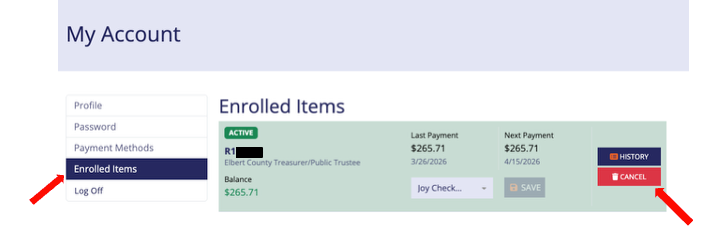
- Select "Enrolled Items" under My Account
- Click "Cancel" button next to your parcel
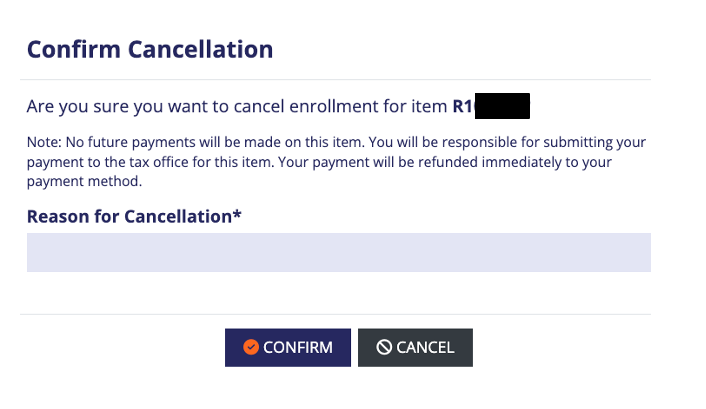
A pop up box will ask for a cancellation reason and for you to confirm your request. Select a "Cancellation Reason" from the dropdown and click "Confirm".
Was this article helpful?
That’s Great!
Thank you for your feedback
Sorry! We couldn't be helpful
Thank you for your feedback
Feedback sent
We appreciate your effort and will try to fix the article