To begin, go to equapay.com.
First review the important information about EquaPay to understand how the program works.
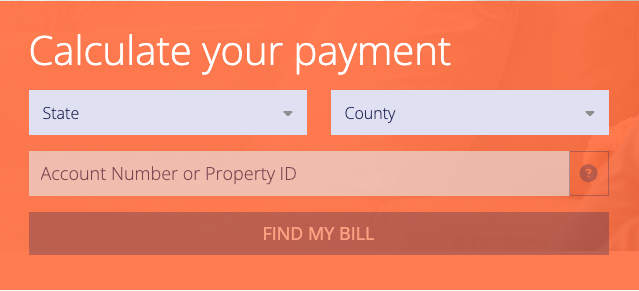
Under the Calculate Your Payment section
- Select your State and County from the drop-down menus.
- Enter either Account Number/Property ID, and click "Find My Bill."
Note: The easiest way to find your account number/property ID is by referencing your tax bill. If you don't have a copy, you can usually access it on your local Tax Collector or Assessor's website.
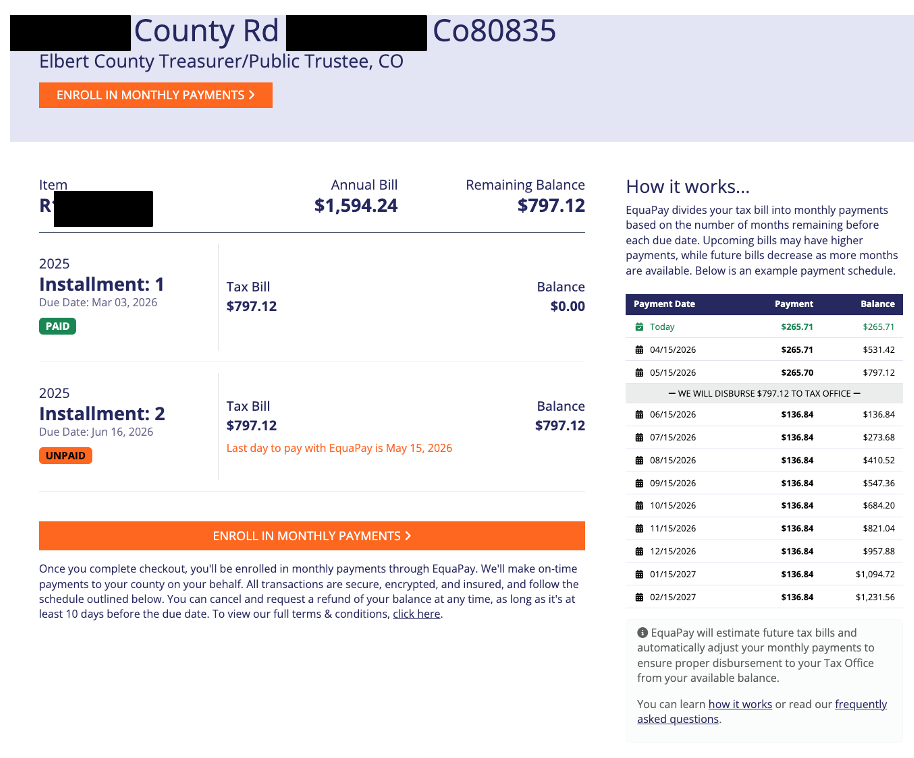
Once your bill is displayed, view the proposed Payment Schedule under "How it works" on the ride hand side.
If you agree with the monthly payment amount shown, click "Enroll in Monthly Payments."
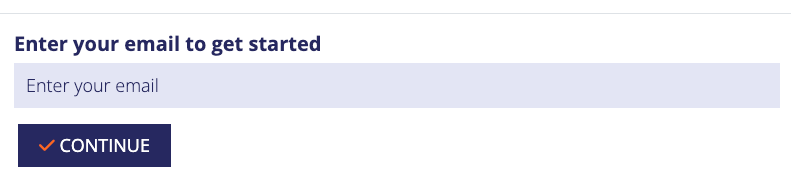
A pop overlay will appear to enter your email address. Enter your email address and click “Continue”.
After selecting continue, the system will follow one of two paths:
If an account already exists for the entered email address:
A second pop-up overlay will appear with the email address pre-populated. You will be prompted to enter your password to proceed. If you do not remember your password, you can select the "Forgot Password" option. This indicates that an account is already associated with the entered email address and allows you to reset your credentials.
If no account exists for the enter email address:
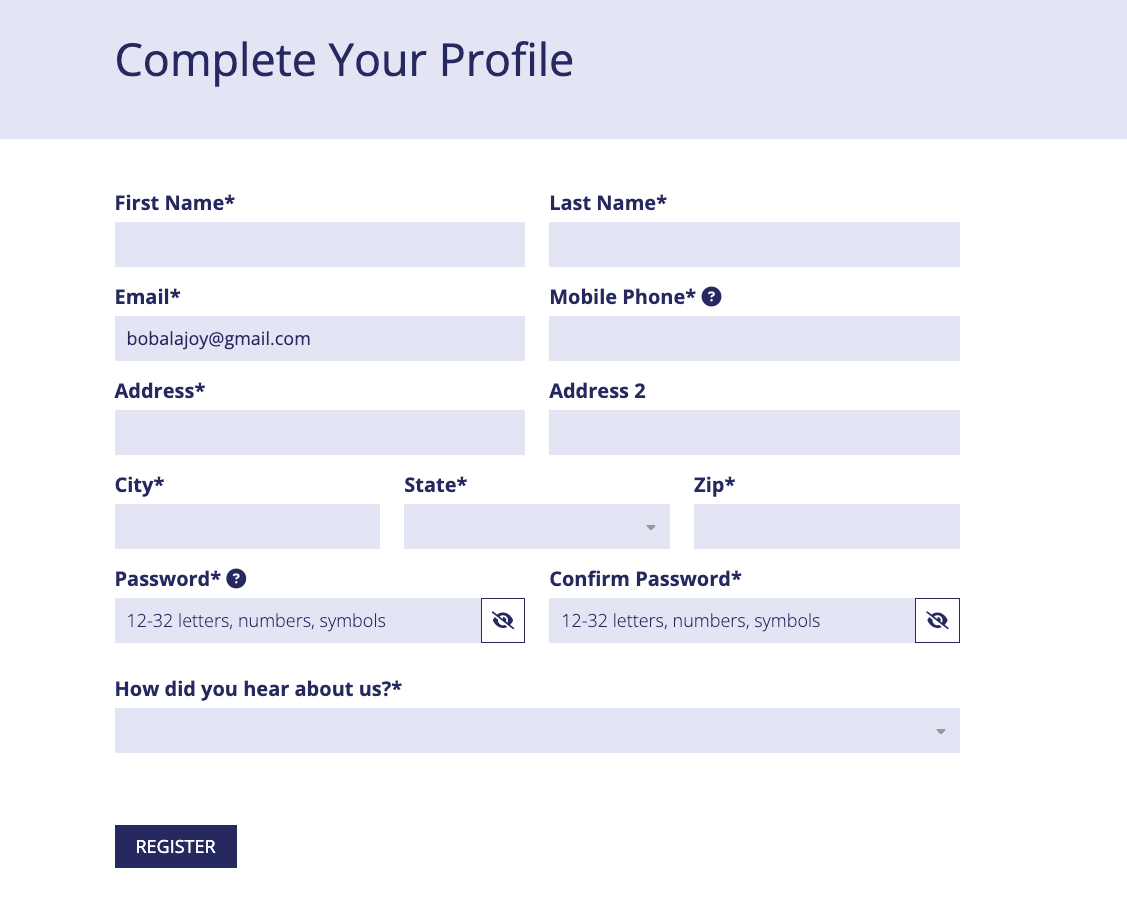
You will be directed to a "Complete Your Profile" screen where you can continue the registration process and create a new account.
Complete all required fields on the registration form and click "Register."
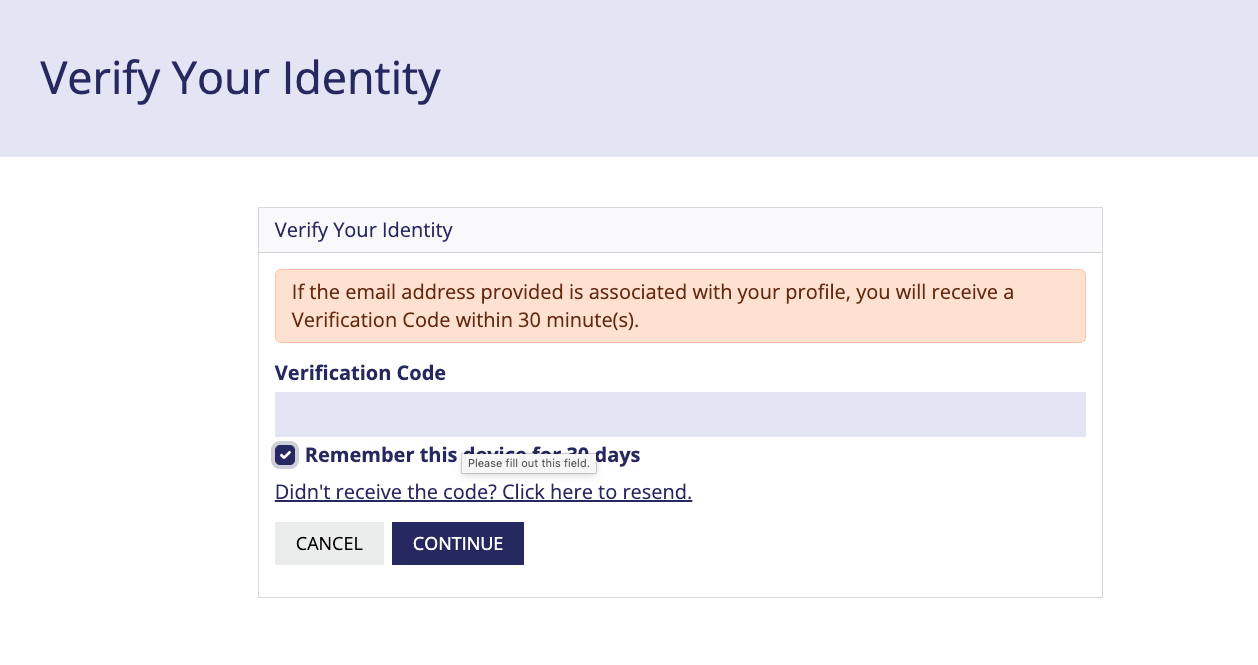
A verification code will be e-mailed to you. Enter the code in the Verification Code field and click "Continue".
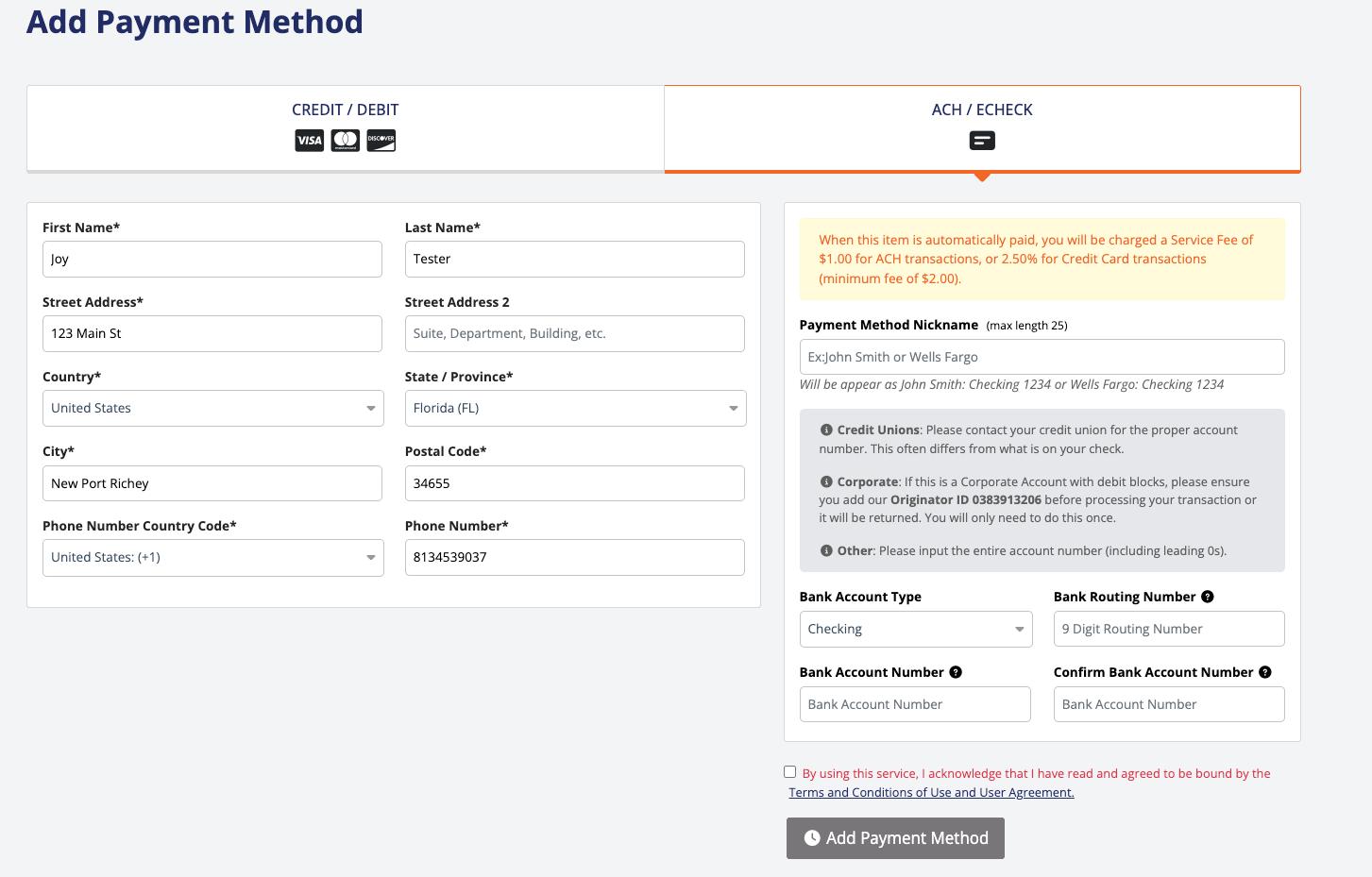
Click to "Add New Payment Method" and enter the payment information for the account you'd like the monthly payments to be withdrawn from.
You will be redirected to select your payment method (Credit/Debit or ACH/ECheck) and enter all required fields. Click the box to agree to the Terms and Conditions. Click "Add Payment Method".
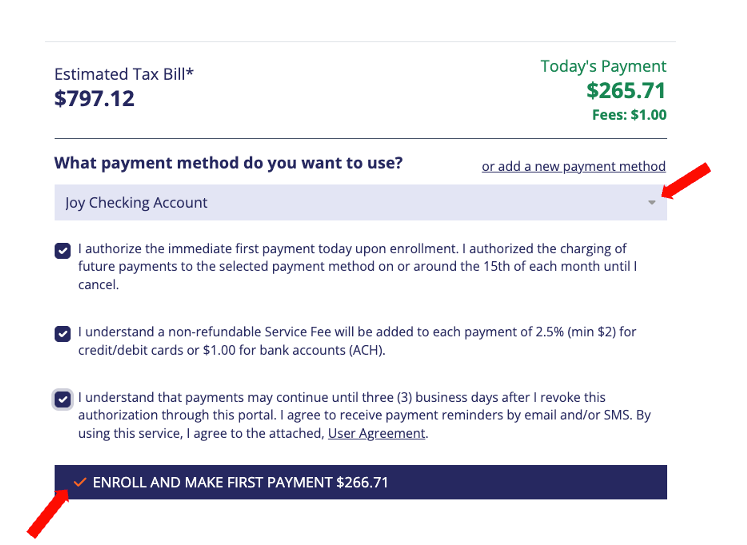
You will be redirected back to your item. Select from the drop down the payment method, check all the boxes to agree to the terms, then click "Enroll and Make First Payment." Your first payment will be charged automatically.
Was this article helpful?
That’s Great!
Thank you for your feedback
Sorry! We couldn't be helpful
Thank you for your feedback
Feedback sent
We appreciate your effort and will try to fix the article